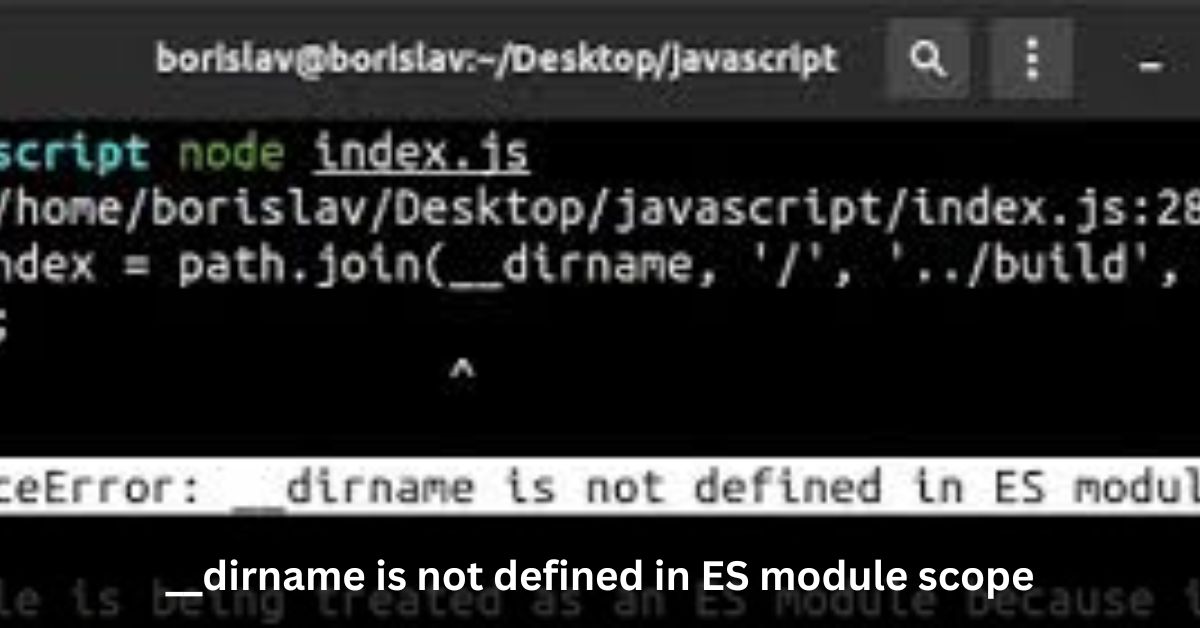

If you’ve been working with Node.js projects for some time, chances are you’ve encountered the “__dirname is not defined in ES module scope” error. It’s a common stumbling block for developers who are transitioning from using traditional Node.js scripts to ES modules. Let’s delve into what this error means and how you can overcome it.
Unveiling the Error:
While using __dirname within a traditional Node.js script is straightforward and often indispensable, attempting to use it within an ES module can lead to frustration.
ES modules, introduced in ECMAScript 6 (ES6), offer a more modern and standardized approach to organizing and modularizing JavaScript code. However, they come with their own set of rules and limitations.
Understanding __dirname:
Before delving into the error itself, let’s quickly recap what __dirname does. In a Node.js script, __dirname returns the directory name of the current module. It provides a convenient way to access the filesystem path of the directory containing the current JavaScript file.
Fintechzoom Richard Mille – Here To Know!
The ES Module Conundrum:
The problem arises when attempting to use __dirname within an ES module. Unlike traditional Node.js scripts, ES modules have a different scope, which does not include __dirname by default. This leads to the infamous “__dirname is not defined in ES module scope” error.
Finding a Solution:
So, what can you do when faced with this error? Fear not, for there is a solution. One approach is to leverage the Node.js path module along with the fileURLToPath function from the url module.
javascript
Copy code
import path from ‘path’;
import { fileURLToPath } from ‘url’;
const __filename = fileURLToPath(import.meta.url);
const __dirname = path.dirname(__filename);
By employing this technique, you can effectively replicate the functionality of __dirname within an ES module. This snippet retrieves the current filename using import.meta.url and then derives the directory name using path.dirname, thus circumventing the limitations imposed by ES module scope.
Skylene Montgomery: A Closer Look
Embracing the Solution:
With the workaround in place, you can seamlessly utilize __dirname within your ES modules, just as you would in traditional Node.js scripts. This enables you to access filesystem paths and maintain compatibility with existing codebases without encountering the dreaded “__dirname is not defined” error.
Delving Deeper into ES Module Scope:
To fully grasp the implications of the “__dirname is not defined in ES module scope” error, it’s essential to understand the underlying differences between traditional Node.js scripts and ES modules.
In traditional Node.js scripts, variables like __dirname and __filename are implicitly available in the global scope, allowing developers to access filesystem paths effortlessly. However, ES modules introduce a more encapsulated scope, where such variables are not automatically provided. This encapsulation promotes modularity and better code organization but necessitates alternative approaches when accessing filesystem paths.
The Role of import.meta.url:
A key component of the solution to the “__dirname is not defined” error lies in the import.meta.url property. This property, available within ES modules, provides the URL of the current module’s file.
By leveraging import.meta.url, developers can obtain crucial information about the module’s location, including the filename and path. While import.meta.url may seem unfamiliar to those accustomed to traditional Node.js development, it serves as a powerful tool for working within the confines of ES module scope.
Leveraging the path Module:
In addition to import.meta.url, the solution involves utilizing the path module provided by Node.js. The path module offers a plethora of utility functions for working with file and directory paths, making it indispensable for tasks like resolving and manipulating paths.
By importing the path module and employing functions like path.dirname, developers can achieve the same functionality as __dirname within an ES module. This demonstrates the versatility and interoperability of Node.js modules, allowing developers to combine different modules to overcome limitations and achieve their objectives.
Compatibility Considerations and Best Practices:
While the provided solution effectively addresses the “__dirname is not defined” error, it’s essential to consider compatibility and best practices when implementing it in your projects. As ES modules continue to gain traction, ensuring compatibility with both legacy Node.js scripts and modern ES modules becomes increasingly important.
Unlocking the Power of Integration: Creating a Flutter App for Any WordPress
Developers should strive to strike a balance between leveraging new features and maintaining compatibility with existing codebases. Additionally, documenting the use of workarounds like the one discussed here can aid in code maintainability and facilitate collaboration among team members.
Overcoming ES Module Limitations:
The “__dirname is not defined in ES module scope” error highlights the challenges developers face when transitioning from traditional Node.js scripts to ES modules.
By understanding the differences in scope and leveraging tools like import.meta.url and the path module, developers can overcome these challenges and continue to build robust and maintainable Node.js applications.
By embracing best practices and prioritizing compatibility, developers can navigate the evolving landscape of JavaScript development with confidence and efficiency.
Exploring Alternative Approaches:
While the solution discussed effectively replicates the functionality of __dirname within an ES module, it’s worth exploring alternative approaches for handling filesystem paths.
One such approach involves passing directory information explicitly as function arguments or module parameters. By abstracting filesystem-related logic into separate functions or modules, developers can decouple their code from reliance on specific filesystem paths.
Unraveling Error Legacy Install Failure: A Troubleshooting Odyssey
This promotes code reusability and testability while mitigating the need for direct access to __dirname or filesystem paths within individual modules. Additionally, adopting a dependency injection pattern can further enhance flexibility and maintainability by allowing developers to inject different directory contexts as needed.
Considering Module Loader Extensions:
Another avenue for addressing the “__dirname is not defined” error lies in the realm of module loader extensions. Node.js module loaders, such as esm (ECMAScript Modules) or @std/esm, offer features and extensions that augment the behavior of ES modules. These loaders may provide built-in solutions or configurations to mitigate common challenges encountered when using ES modules, including the lack of __dirname support.
By exploring module loader extensions and their capabilities, developers can discover additional tools and strategies for overcoming limitations imposed by ES module scope. However, it’s important to evaluate the compatibility and maintainability implications of introducing third-party loaders into your project.
Future Directions and Standardization Efforts:
As the JavaScript ecosystem continues to evolve, efforts are underway to address the disparity between traditional Node.js scripts and ES modules. Standardization bodies, such as TC39 (Technical Committee 39), are actively working to define and refine specifications for ECMAScript modules, aiming to provide a cohesive and standardized module system for JavaScript.
Exploring the Landscape: What Companies are in the Public Utilities Field?
Proposals and discussions within TC39 may lead to enhancements or modifications to the ES module specification, potentially addressing issues like the lack of __dirname support. By staying informed about these developments and participating in relevant discussions and forums, developers can contribute to shaping the future of JavaScript modules and ensuring a more seamless transition between different module paradigms.
Conclusion:
In conclusion, the “__dirname is not defined in ES module scope” error can be a stumbling block for developers transitioning to ES modules.
However, by understanding the limitations of ES module scope and employing the provided solution utilizing the path and url modules, you can effectively overcome this obstacle and continue building robust Node.js applications with confidence.
So, next time you encounter this error, remember the workaround and forge ahead with your development journey!
Are you seeking to enhance your Node.js skills further? Check out my Node.js Handbook for comprehensive insights and practical guidance.
Leave a Reply